SpringBoot整合Redis

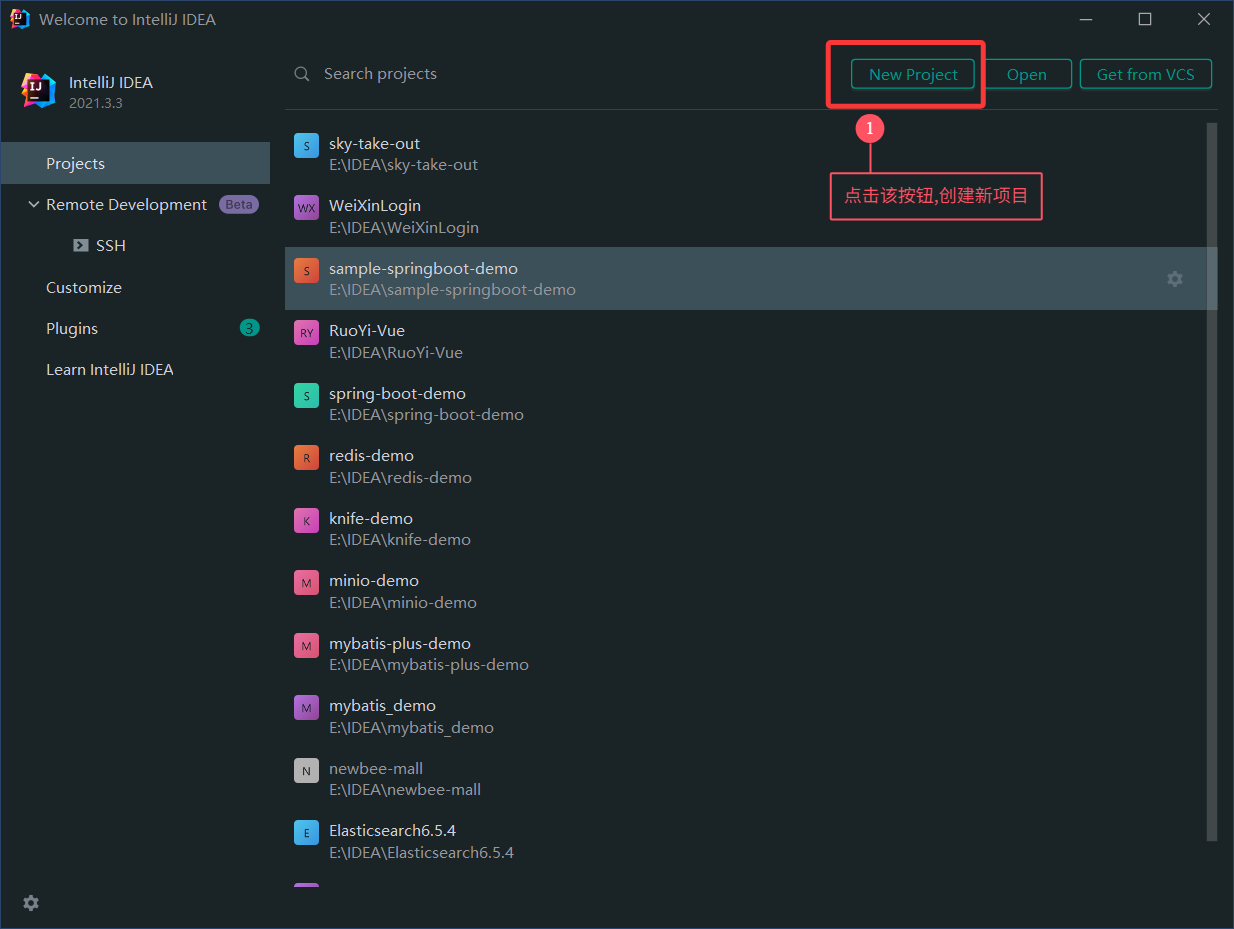
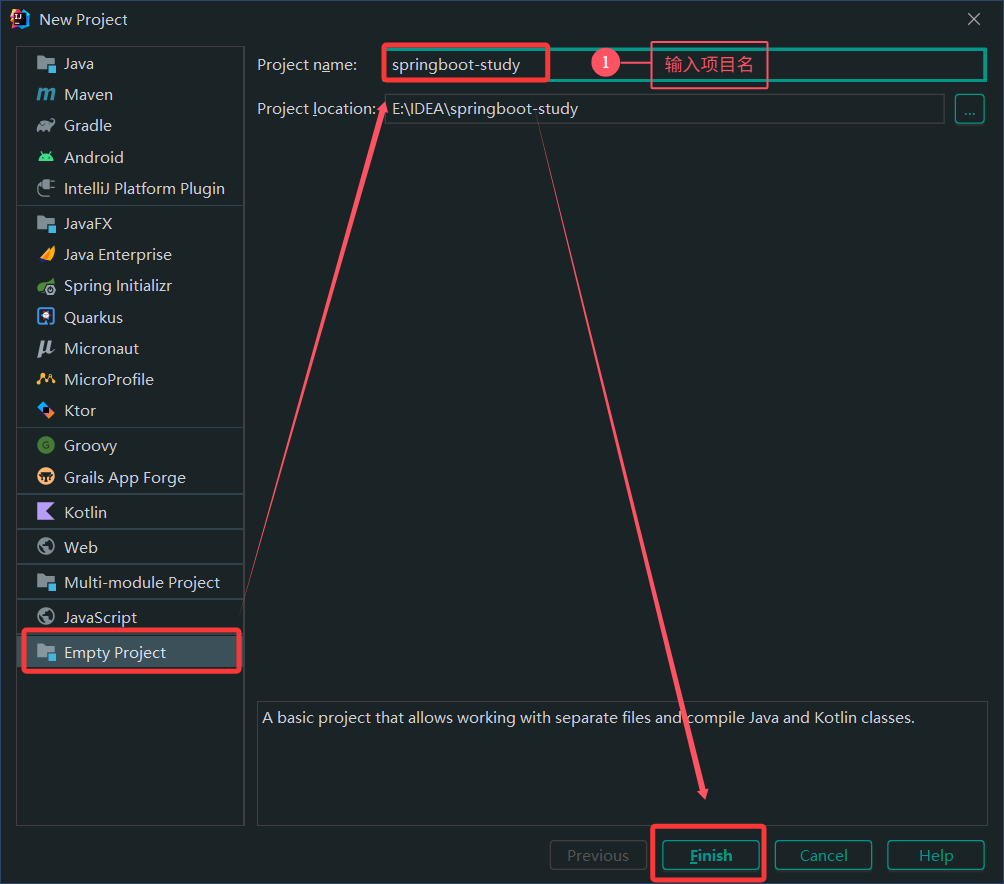
一、创建空项目

1
注: 该步骤,在后续整合其他技术的时候,不再单独操作。

image-20251123221342640

image-20251123221540745

二、整合Redis

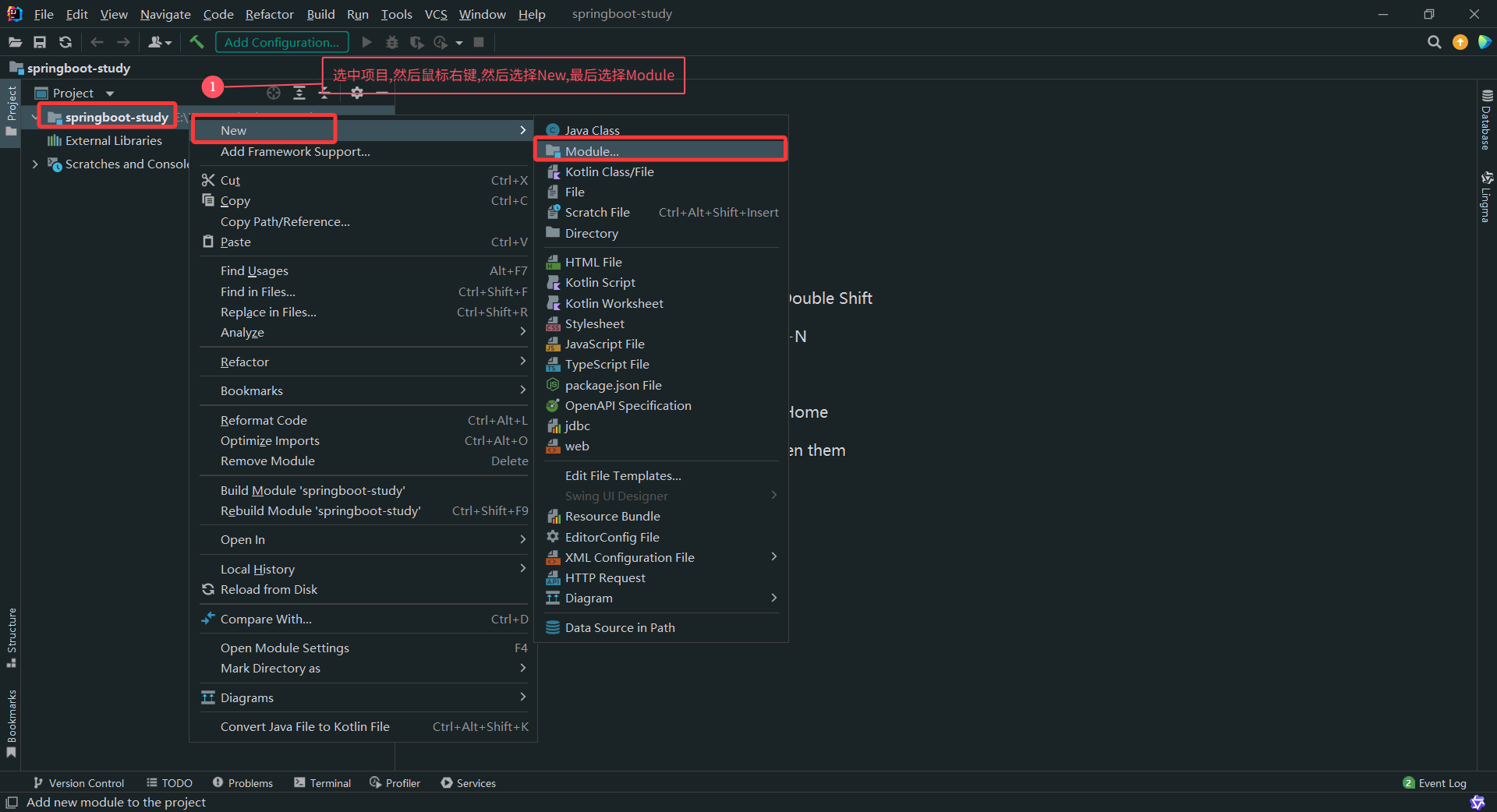
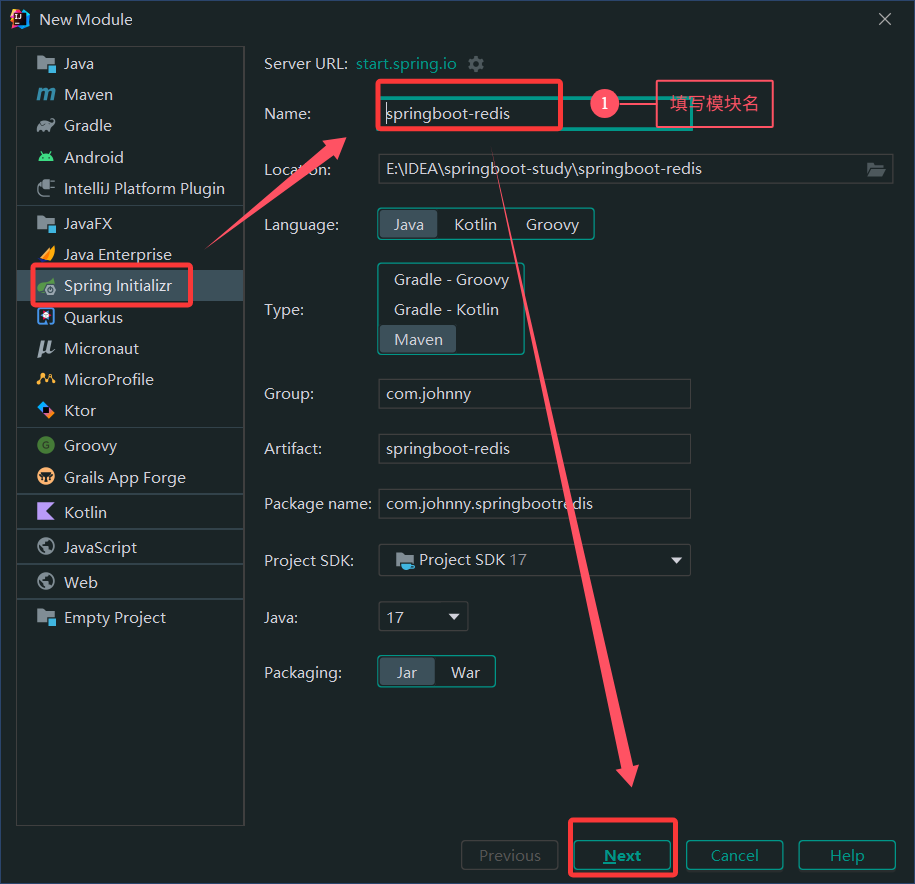
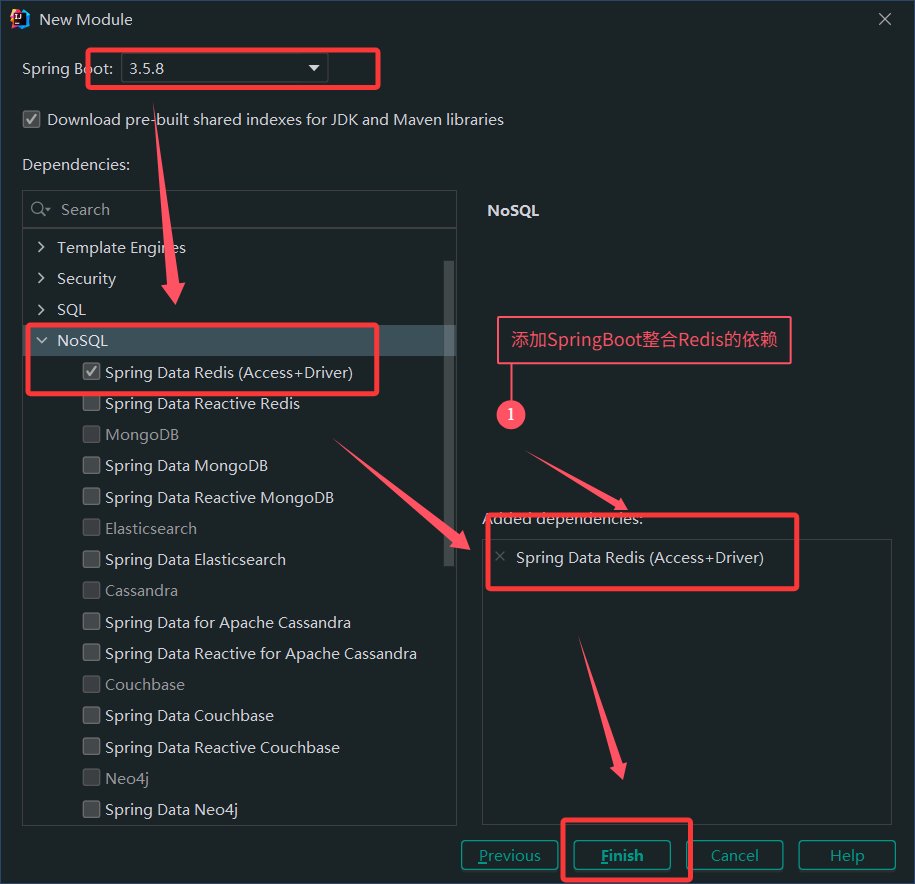
2.1、创建模块

image-20251123221754175

image-20251123222725390

image-20251124001529016

2.2 配置Redis

1
2
3
4
5
6
spring:
data:
redis:
host: 192.168.10.10 # redis服务的地址
port: 6379 # redis服务的端口
database: 0 # 连接的数据库

2.3 测试StringRedisTemplate

1
2
3
4
5
6
7
8
9
10
11
12
13
14
15
16
17
18
19
20
21
22
23
24
25
26
27
28
29
30
31
32
33
34
35
package com.johnny.springbootredis;

import org.junit.jupiter.api.Test;
import org.springframework.beans.factory.annotation.Autowired;
import org.springframework.boot.test.context.SpringBootTest;
import org.springframework.data.redis.core.StringRedisTemplate;

@SpringBootTest
class SpringbootRedisApplicationTests {

/**
* 注册StringRedisTemplate
*/
@Autowired
private StringRedisTemplate stringRedisTemplate;


/**
* 测试redis--set
*/
@Test
public void testSet(){
stringRedisTemplate.opsForValue().set("message","hello redis");
}

/**
* 测试redis--get
*/
@Test
public void testGet(){
String message = stringRedisTemplate.opsForValue().get("message");
System.out.println(message);
}

}

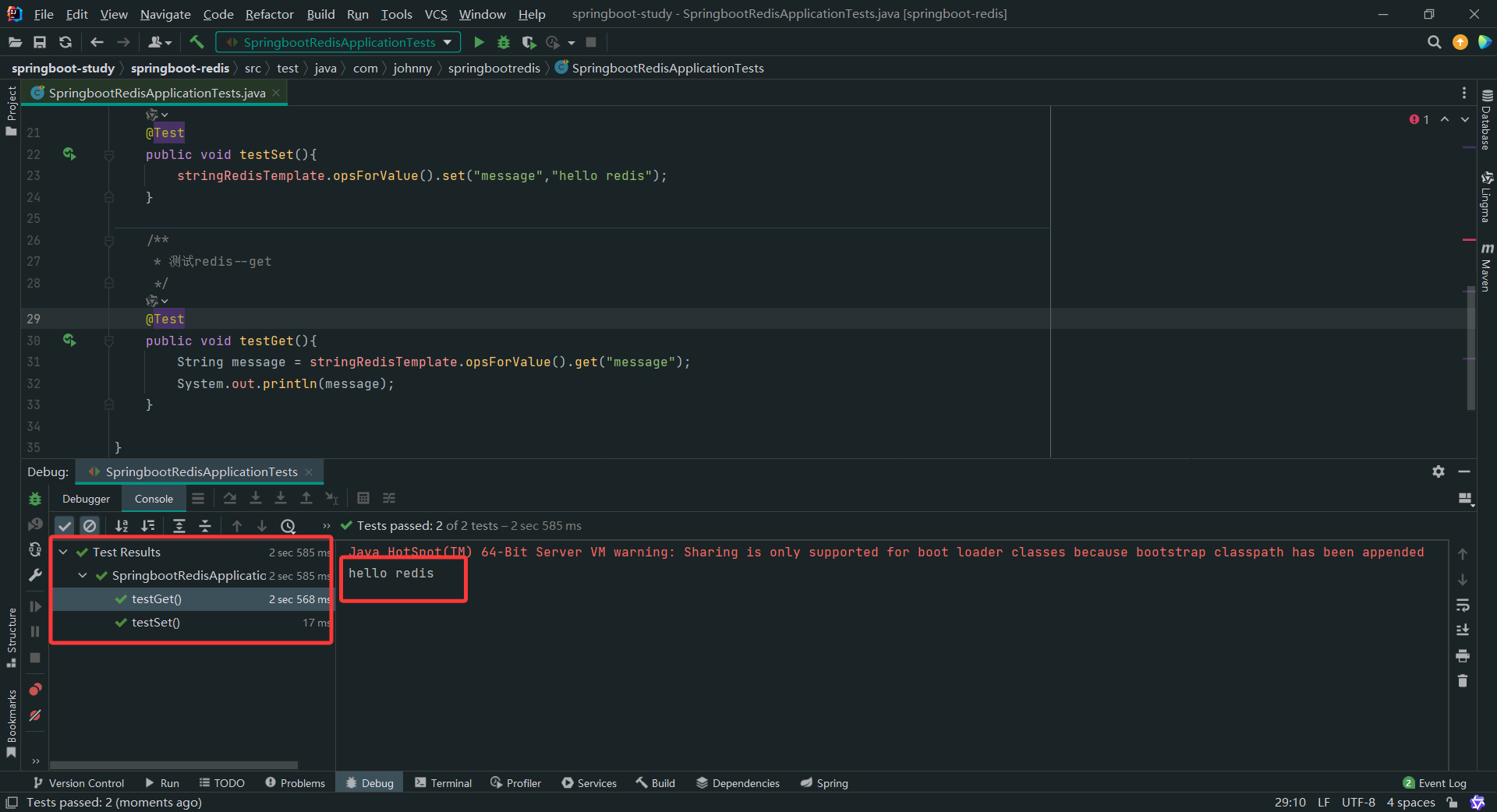
测试结果

image-20251124003228346